Oppo

UX Research & Design

Project Summary

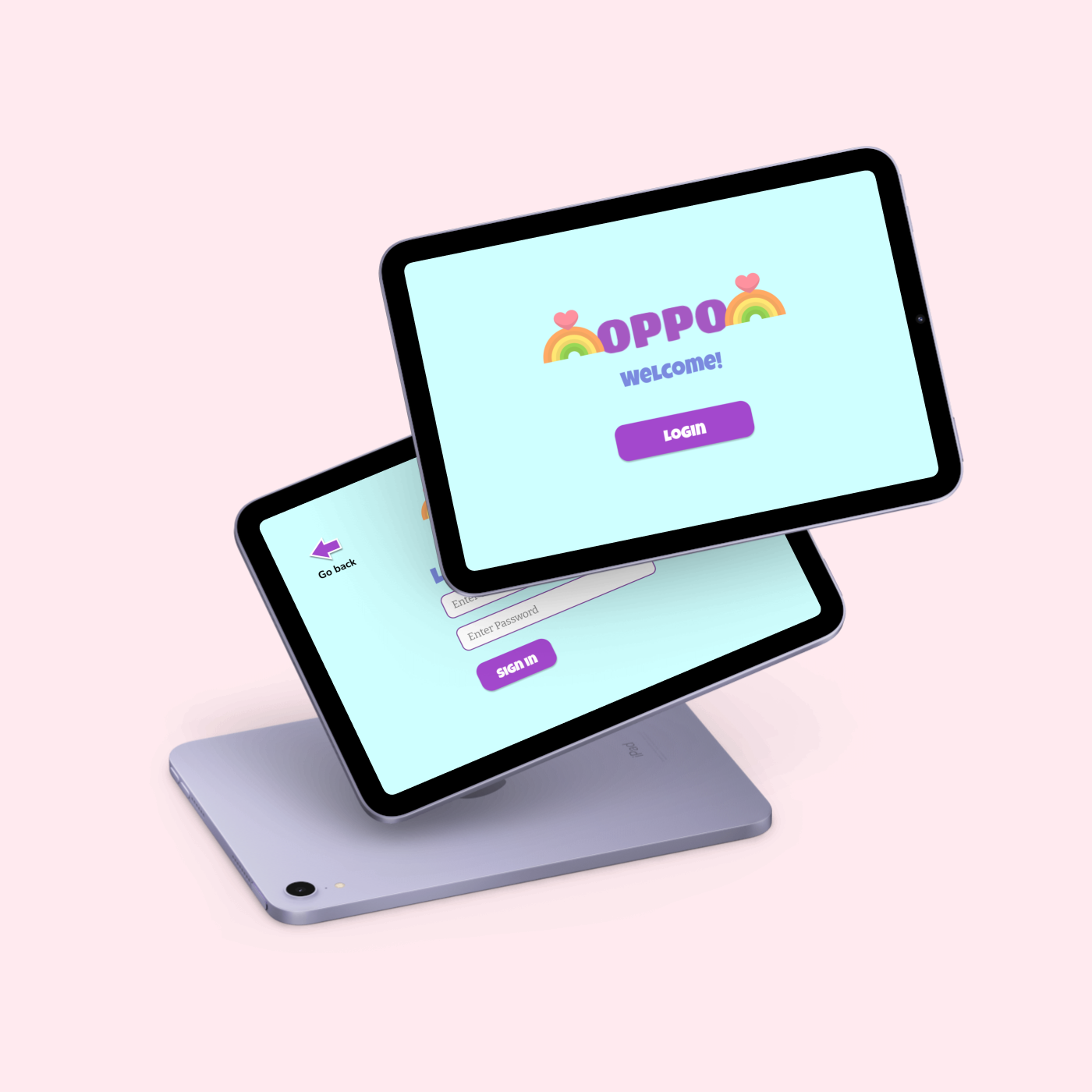
The intent of this project was to design an app that would provide case workers with viable and communicatively effective data from the at-home visits with children in foster care by having interactive elements as well as colors and visuals to motivate the child to continue with the visits. During the visits, the child will be able to answer simple and appropriate questions and play mini games at the end of the questionnaire to further motivate and encourage them, creating a comfortable and safer environment for the child.

My Role

UX Designer & Researcher

Methods & Tools

  • Competitive Analysis
  • Secondary Research
  • Usability Testing
  • Affinity Diagramming
  • Google Slides
  • Google Docs
  • Figma
  • Zoom

Users

  • Case workers
  • Children in the foster care system
  • Case Managers

Deliverables

  • Scope of Work
  • Style Guide
  • Interactive Prototype
  • Group Presentation

Scope of Work

My team and I created a document of our timeline and research methods to hand off to our client so they could view our processes and give feedback on our work.

Competitive Analysis

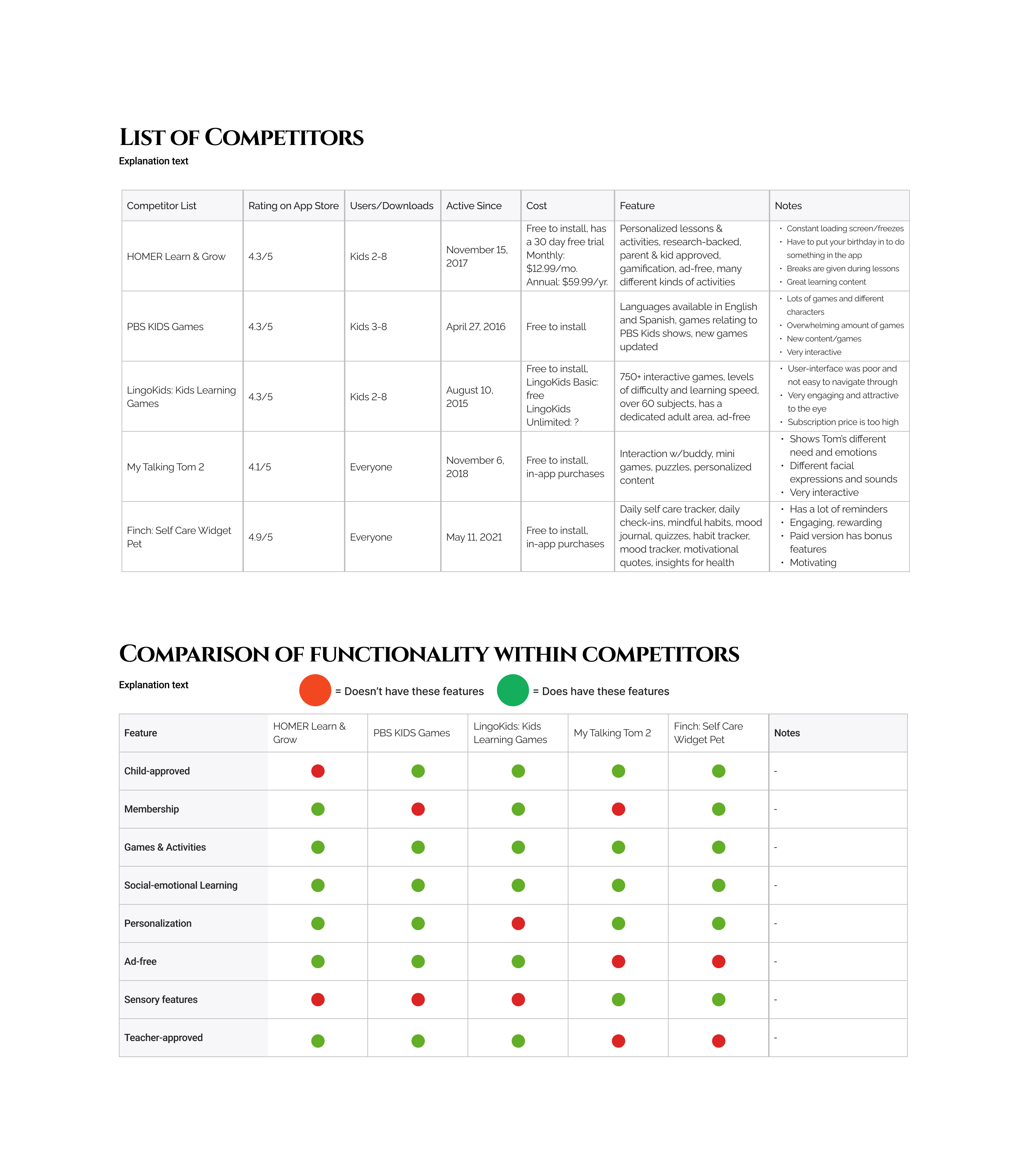
To learn more about the color concepts and features that children were attracted to, I conducted a competitive analysis and documented the pros and cons of children's apps that promoted social-emotional learning skills.

Mid-fidelity Prototype

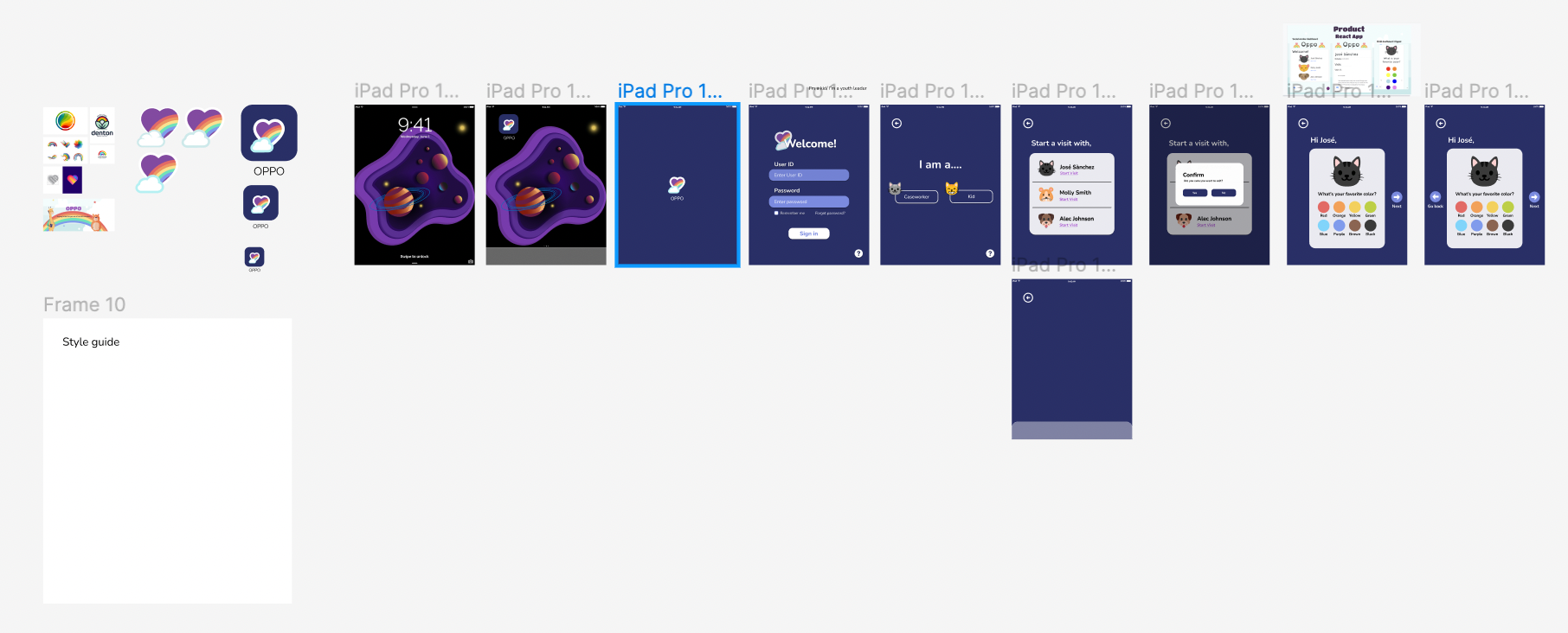
My team and I created three interactive prototypes to compare them and see what the client specifically liked about each prototype.
My alternative of the interactive prototype.
My teammates created their own versions as well as seen down below.

Interactive Protoype

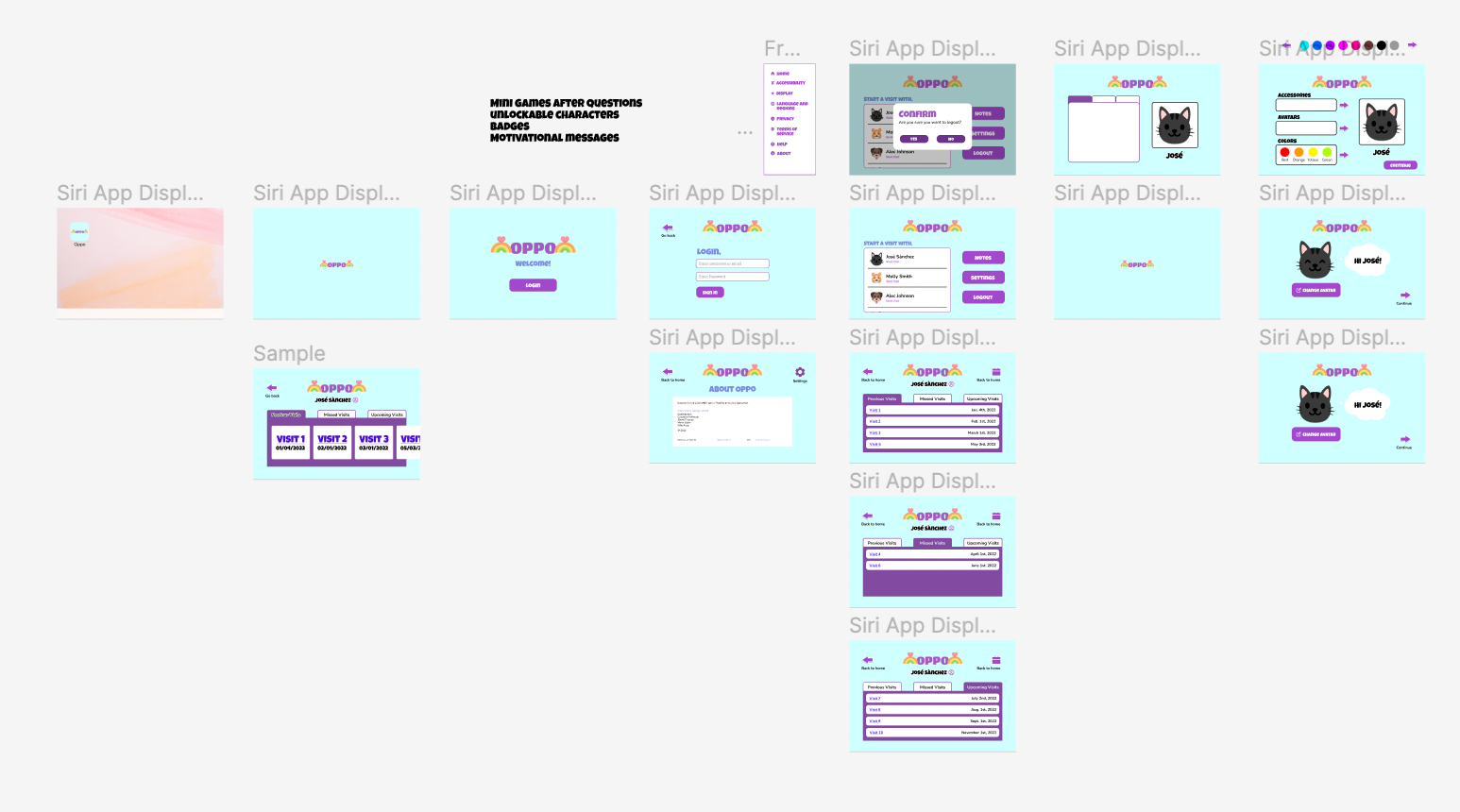
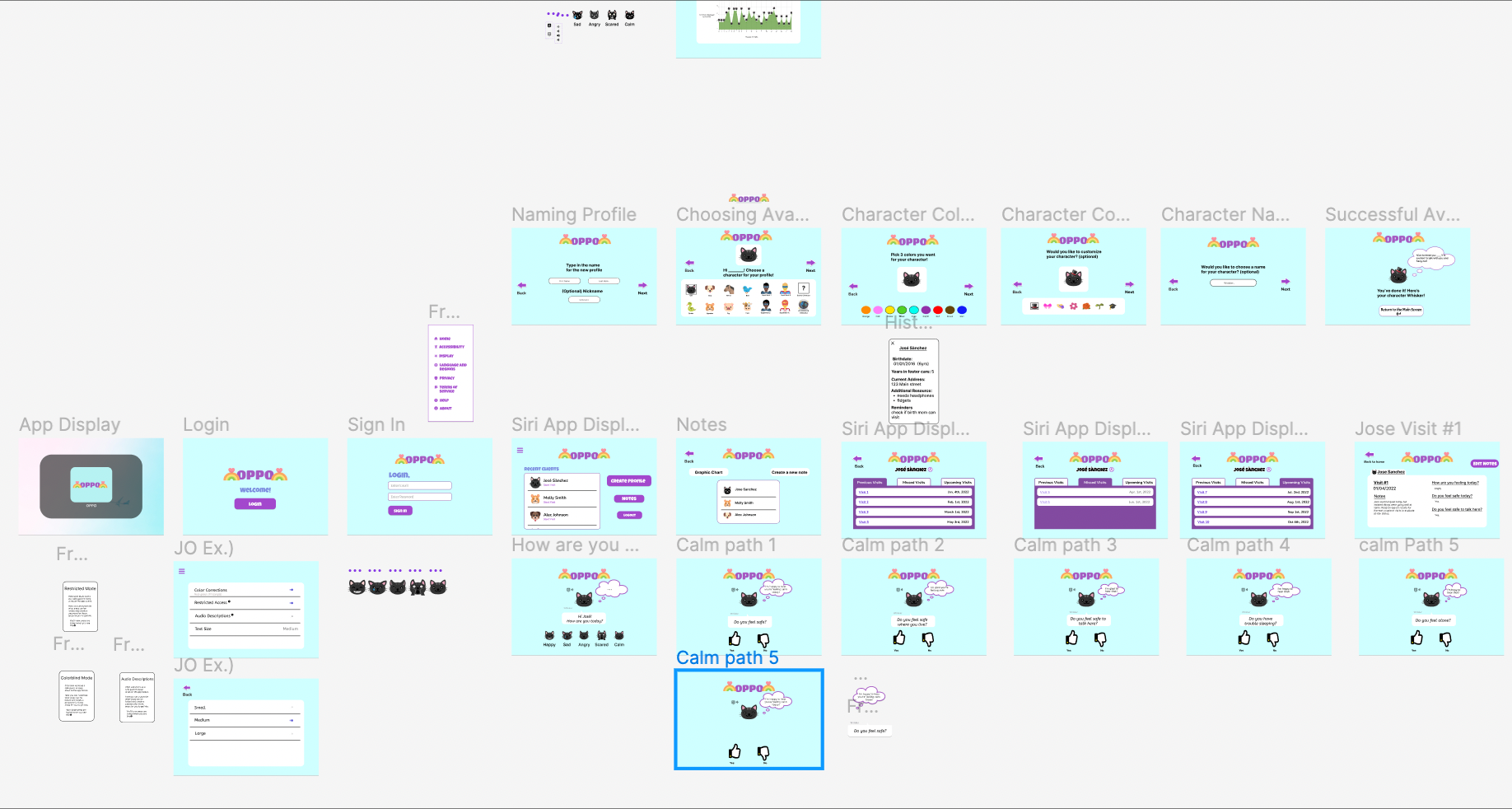
After discussing with our client, we were able to create a hybrid of all three interactive prototypes to make one singular prototype. My team incorporated their research findings into the interactive prototype, creating a variety of interactive elements for the case worker and the child.

Style Guide

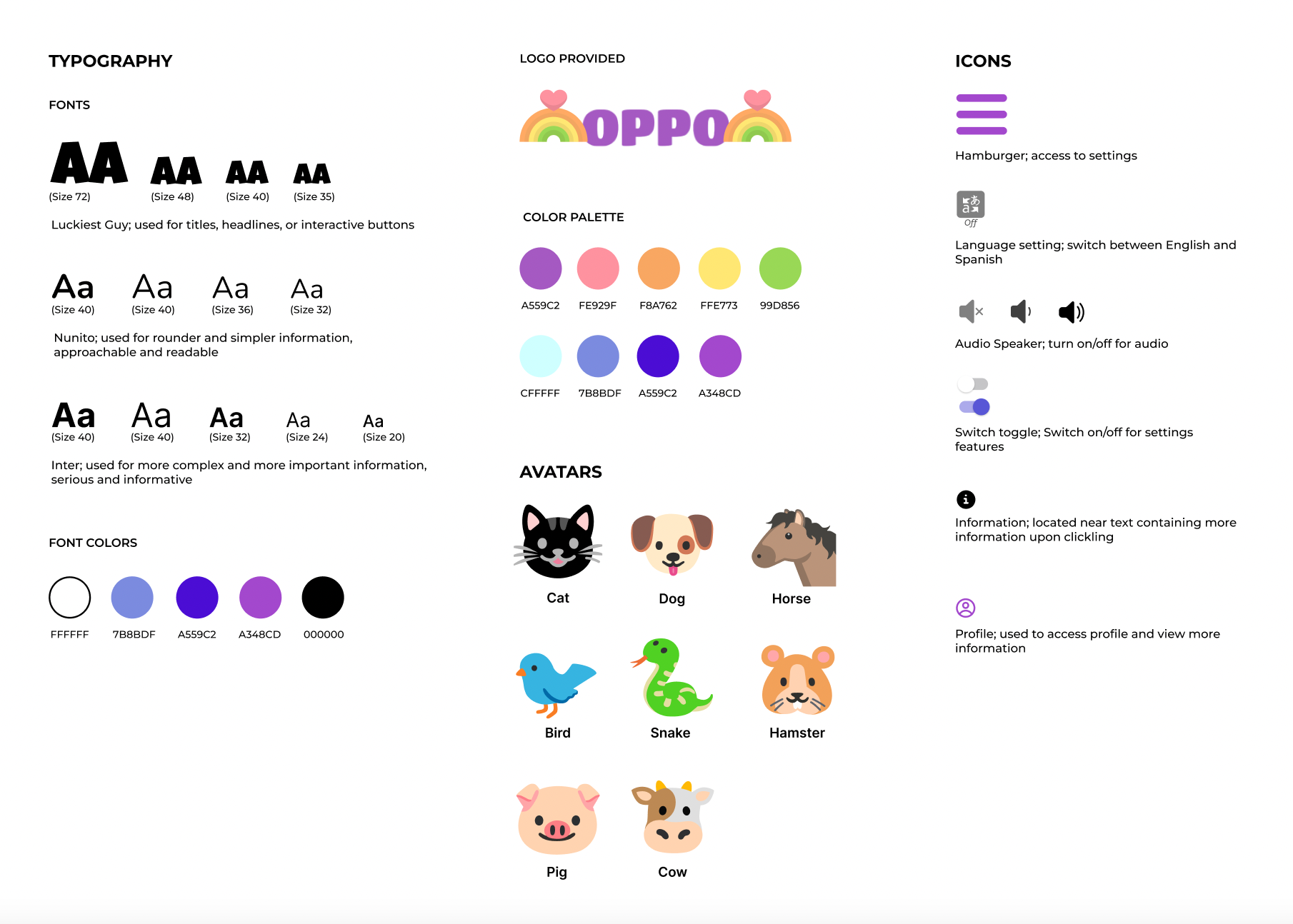
From the interactive prototype my team and I created, I created a style guide to explain the design processes and concepts that contributed to the flow and function of the app.

Prototype Presentation

My group and I created a presentation to summarize as well as visualize our research and design process while working on Oppo. My role in the presentation was to explain the design goals, the style guide, and the next steps that my team and I would like to implement.

Next Steps

For the next steps, my team and I would like to implement more gamification features by making the mini games interactive and to create a rewards system that rewards the child for playing the games they're given rather than having the rewards visit-based. We would also like to explore more into the data visualization and conducting more research on what data did case workers find most important.
Check out a video of the interactive prototype!

This video is a walkthrough of the prototype and the overall flow. The case worker would login with their username and password and land on the onboarding page which includes a section displaying the children's avatar and name along with a "Start Visit" button highlighted in purple. The case worker then taps on the side navigation leading to settings to view the different setting features. To return home, the case worker taps on the home button and returns to the onboarding page. The case worker is starting a visit with a new child named Jose Sanchez. The case worker taps on the "Create new profile" button to get the child started on creating their character. After pressing the button, the case worker hands the tablet to Jose who then picks out a cat and chooses three colors for the cat that is being customized. The cat is then given a hat. The customization process is finished and the case worker is handed back the tablet in order to safely enter the pin code required to return to the home screen. The case worker can choose to look at the previous notes that were taken about Jose and can edit as well as view the data taken from the previous visits. The case worker has access to all previous, missed, and upcoming visits. After viewing the past visits, the case worker returns to the home screen and starts a new visit with Jose. The case worker hands over the tablet to Jose to answer the questionnaire of close-ended questions. The avatar Jose created responds in a cheerful and enthusiastic way, with audio and multilingual options to choose from. Jose finishes answering all the question and decides to play a game. This signifies the end of the video.

Want to get in touch?
Email me at:

xiong.siriyah@gmail.com