World Anvil

UX Research & Design

Project Summary

As a UX Designer & Researcher going into Pathfinder, I discovered World Anvil, a world-building website with many tools and features to choose from to build your world. I utilized that interest and conducted research on World Anvil. Through my research, it was found that the user-interface was overwhelming and the layout of the website lacked transparency as well as information architecture. I used my research findings to create an interactive prototype and a presentation.

My Role

UX/ UI Designer

Methods & Tools

  • UX Layout
  • Competitive Analysis
  • Card Sorting
  • Usability Testing
  • High-Fidelity Prototype
  • Figma
  • FigJam
  • Keynote
  • UXTweak (Website for Card Sorting)
  • Otter.io
  • Zoom

Users

  • Game/Dungeon Masters
  • Writers
  • World-building Hobbyists
  • Players of Dungeons & Dragons, Pathfinder, etc.

Deliverables

  • Design Brief
  • Card Sorting & Usability Script
  • Research and Findings Report
  • Interactive Prototype
  • Prototype Presentation

Design Brief

To organize my research and design process, I created a design brief which consisted of the timeline of my project and gave deeper context on how I was going to conduct my research within specified deadlines.

UX Layout

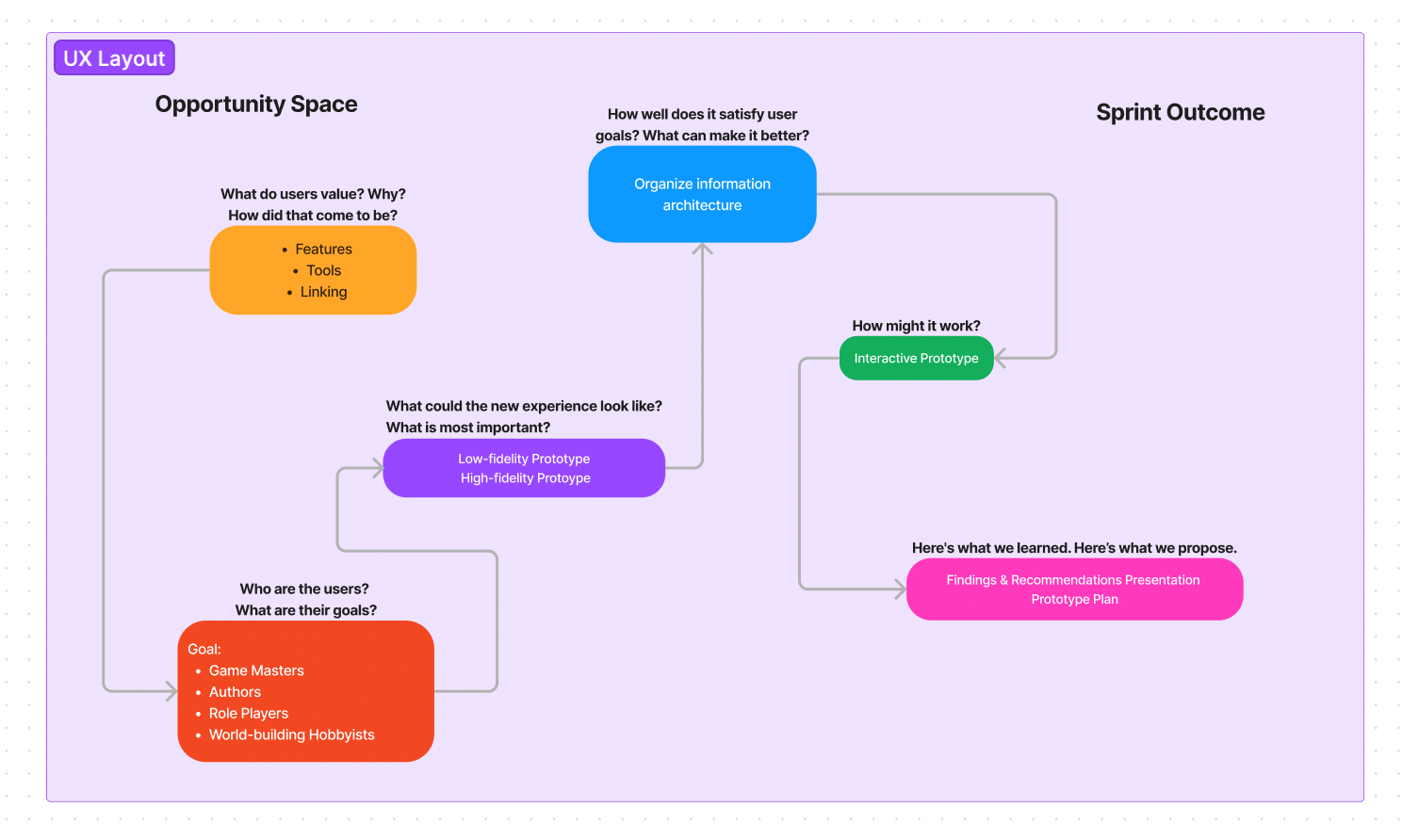
To document my process, I created a layout of my methods and what the users specifically wanted to know about and what their intended purposes of using the website as well as trying to understand their mental models while using the website.

Competitive Analysis

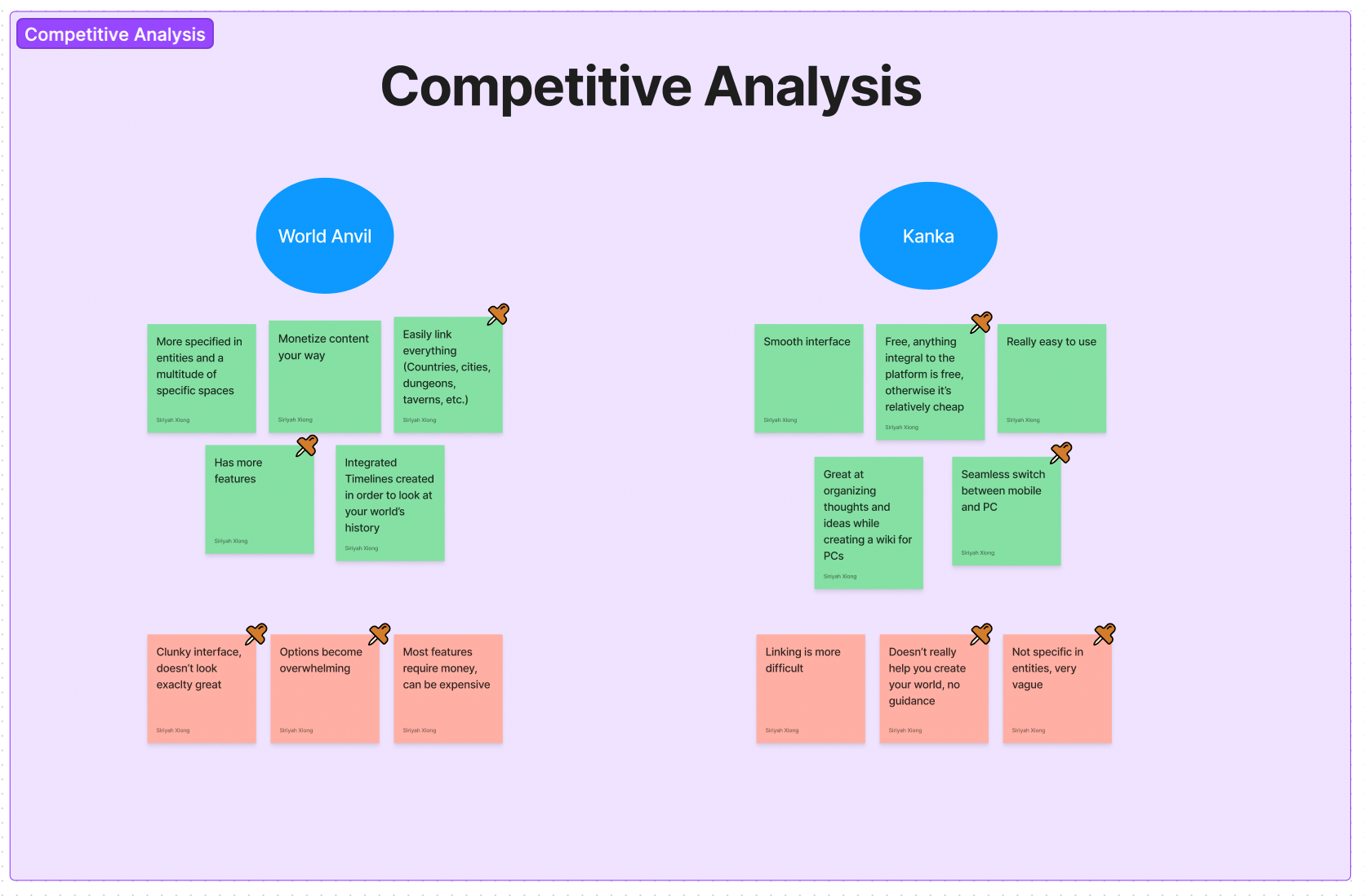
Following my design brief, I conducted a competitive analysis intended to compare World Anvil to another world-building website called Kanka to understand what features World Anvil had and lacked.

Usability Test Script & Card Sorting Activity

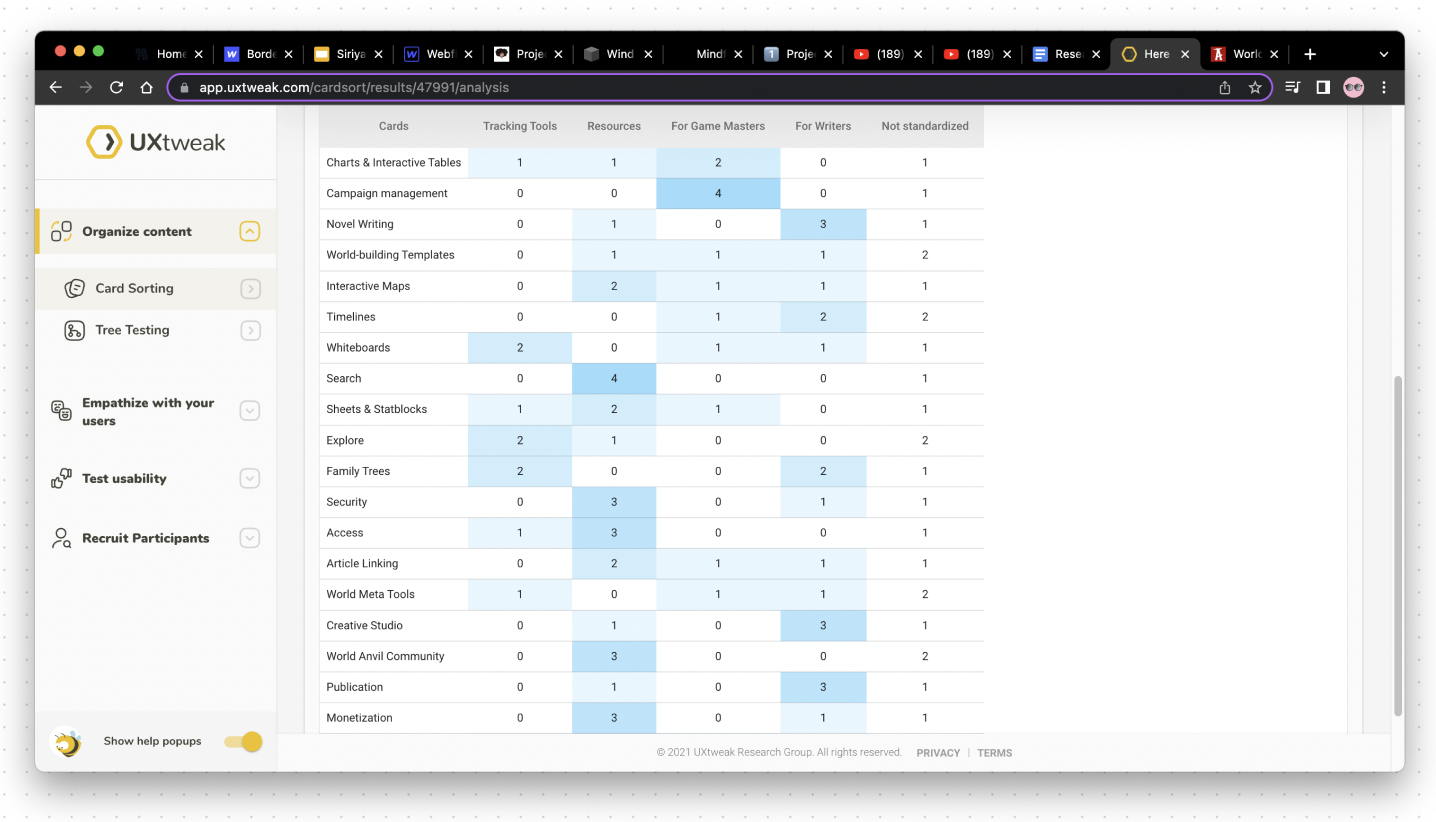
To further understand the mental models of the intended audiences, I conducted interviews using a usability test script I created which included scenarios relating the flow and primary users of World Anvil. In the interviews, I also included a card sorting activity to better understand the information architecture and the hierarchy of the primary users of World Anvil to compare it.
Click here to check out my Usability Test Script!

Affinity Diagramming

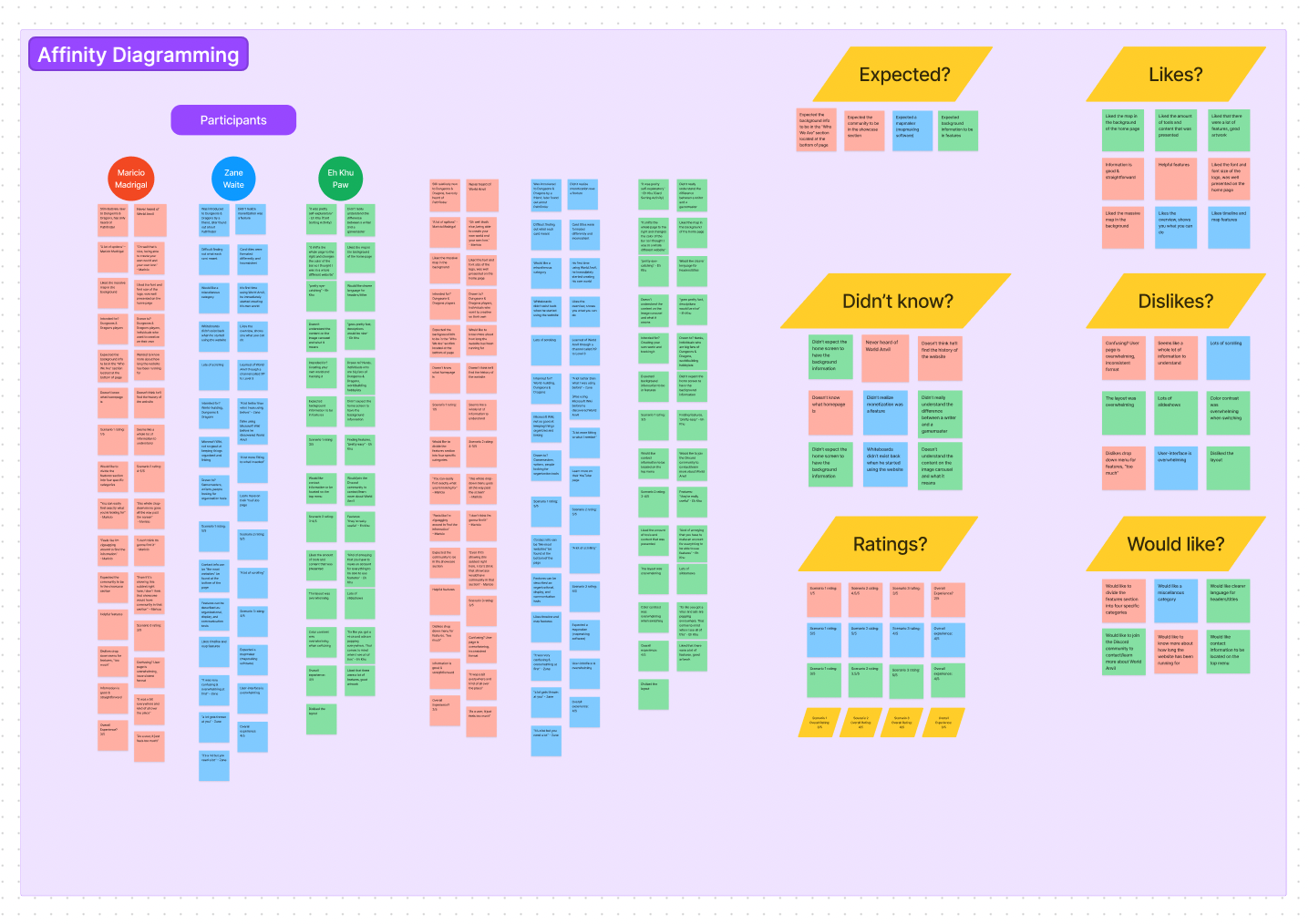
After conducting the interviews, I synthesized my data and created an affinity diagram to organize the common themes that were presented in the research.

High-Fidelity Prototype

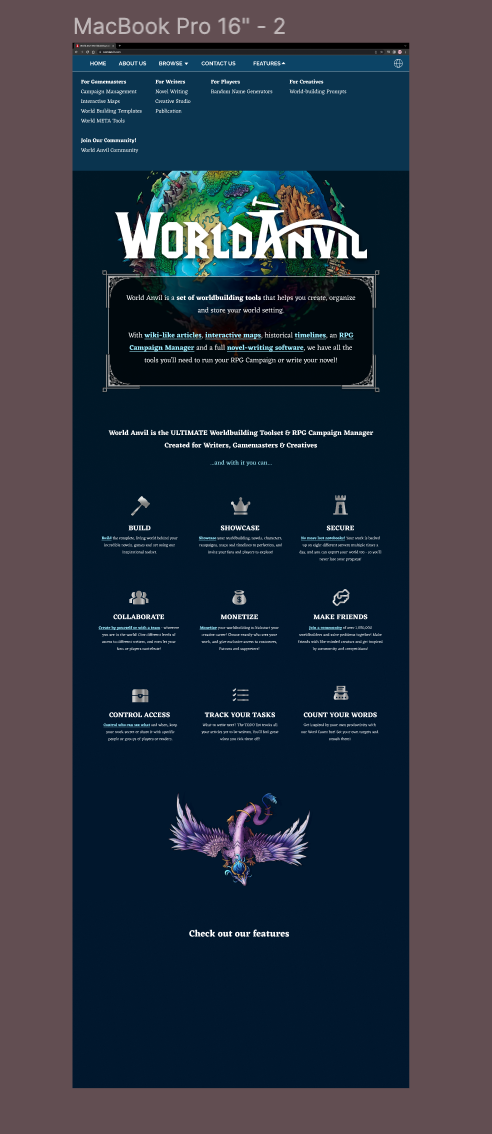
I created a prototype to visualize my research and findings report by reorganizing the content from the original website and by refining the layout of the concept.
Some samples I edited and used for the background images.
The onboarding page of my prototype.
The drop down menu for the features which has been reorganized.

Prototype Presentation

Using the data that I synthesized, I created a presentation to show my findings and next steps from my research process and how I implemented my findings into my prototype.

Interactive Protoype

Through my research, I was able to implement interactive elements to my prototype and to visualize the recommendations I have from my findings.

Next Steps

For my next steps, I want to implement a mobile version of World Anvil to expand the participant pool as well as add more information from the website. Lastly, I would like to create a login and sign up page.

Here is a recording of my prototype in action!

Want to get in touch?
Email me at:

xiong.siriyah@gmail.com